
Many homeowners choose Rinnai tankless water heaters for their reliability, energy savings, and endless hot water supply. But what happens when the control panel suddenly stops working? Whether you see a blank screen, unresponsive buttons, or confusing error codes, a non-functioning control panel can disrupt your comfort and daily routine. For many, this situation is stressful because the control panel is the main way to set temperature, reset the system, and get status information.
If your Rinnai tankless water heater control panel is not working, you are not alone. These issues are common, but understanding the causes and solutions can make a big difference. In this guide, you will learn how to troubleshoot, fix, and prevent control panel problems.
The explanations here are clear, practical, and based on real experiences. Whether you are a homeowner, a landlord, or a technician, this article gives you the knowledge you need to regain control over your hot water system.
How The Rinnai Tankless Water Heater Control Panel Works
The control panel is the heart of your Rinnai tankless water heater’s operation. It is usually a small, wall-mounted unit or a built-in digital display on the heater itself. You use it to adjust the water temperature, view system status, and receive error messages. Some advanced models let you set timers, lock the temperature, or even connect to Wi-Fi for remote monitoring.
The control panel communicates with the heater’s main circuit board. When you press a button or change a setting, the panel sends signals to the board, which then adjusts the burner, water flow, and other components. If the control panel stops working, you lose direct access to these settings, making it difficult to use the heater properly.
Common Signs Of A Non-working Control Panel
Recognizing the symptoms can help you diagnose the problem faster. Here are the most common signs:
1. Blank Display
Nothing appears on the screen, even when you press buttons.
2. Unresponsive Buttons
The screen lights up, but none of the buttons work.
3. Flashing Or Error Codes
The display shows codes you don’t understand or keeps flashing.
4. Partial Function
Some buttons work, others do not, or the temperature cannot be changed.
5. Backlight Only
The panel lights up but does not show any numbers or text.
These issues can happen suddenly or after a power outage, surge, or long period of non-use.
What Causes A Rinnai Control Panel To Stop Working?
Several factors can lead to control panel problems. Understanding these causes helps you find the right fix.
1. Power Supply Issues
A common cause is power loss. The control panel needs a stable electricity supply. If there is a tripped breaker, blown fuse, or loose wire, the panel might not get power. Sometimes, a power surge can damage the internal parts.
2. Faulty Wiring Or Connections
Wires connect the control panel to the main heater unit. Over time, these wires can become loose, corroded, or damaged by pests. Even a small disconnect can stop the panel from working.
3. Water Damage Or Moisture
Water heaters are often installed in damp areas. If moisture gets inside the control panel, it can cause short circuits or corrosion. This is especially common in basements or areas with poor ventilation.
4. Internal Component Failure
The control panel has small electronic parts like circuit boards, buttons, and displays. These can fail due to age, manufacturing defects, or repeated exposure to heat and vibration.
5. Software Glitches Or Firmware Problems
Modern Rinnai models use software to control functions. Sometimes, the software can crash or become corrupted, causing the panel to freeze or act strangely.
6. User Error Or Lockout
Some models have a child lock or system lock feature. If activated by mistake, the panel may appear unresponsive even though it is actually locked.
7. Environmental Factors
Extreme cold, heat, or high humidity can affect how the control panel works. Direct sunlight or freezing temperatures can damage the display or wiring.
Step-by-step Troubleshooting Guide
Before calling a professional, you can try several troubleshooting steps. In many cases, the problem is simple and can be fixed quickly.
Step 1: Check For Power
- Make sure the water heater is plugged in and the outlet is working.
- Check your home’s circuit breaker panel for any tripped breakers.
- If possible, plug another device into the same outlet to confirm it has power.
Step 2: Inspect The Control Panel
- Look for visible damage, moisture, or corrosion.
- Gently press each button to see if any respond.
- If the panel is removable, make sure it is properly attached and all connectors are secure.
Step 3: Examine The Wiring
- Turn off the power before touching any wires.
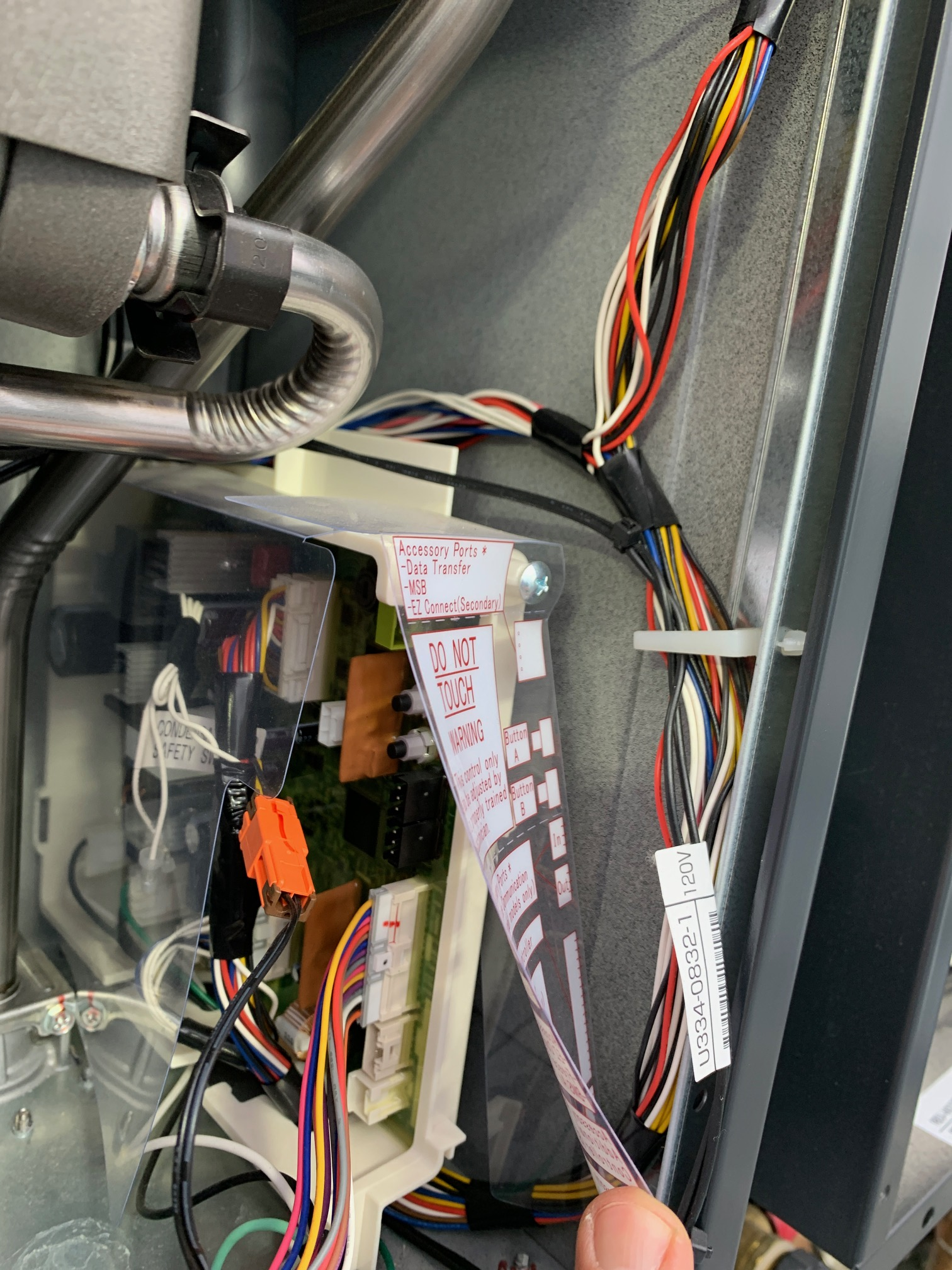
- Remove the control panel cover and check for loose, frayed, or disconnected wires.
- If you see any burnt or melted areas, this may mean a short circuit.
Step 4: Reset The System
- Many Rinnai models have a reset button on the heater or control panel.
- Press and hold the reset button for 5–10 seconds.
- If there is no reset button, unplug the heater for 1 minute, then plug it back in.
Step 5: Check For Error Codes
- If the display shows numbers or letters, look them up in your user manual.
- Common codes like “12”, “11”, or “LC” have specific meanings (often related to ignition, flame, or scale build-up).
Step 6: Test The Outlet And Power Cord
- Use a voltage tester to check if the outlet is delivering the right voltage (usually 120V in the US).
- If you use an extension cord, try plugging the heater directly into the wall outlet.
Step 7: Inspect For Moisture
- If you suspect water damage, dry the area with a soft cloth.
- Allow the panel to air out for several hours before turning the power back on.
- Do not use a hair dryer or heat gun, as this can damage the electronics.
Step 8: Try The Remote Control (if Available)
- Some Rinnai models have a remote control unit. Test if the remote works when the main panel does not.
- If the remote works, the problem may be with the built-in panel only.
Step 9: Look For Lockout Features
- Check if the child lock or temperature lock is active. Refer to your manual for how to deactivate these features.
Step 10: Call For Professional Help
- If none of these steps work, it’s time to call a licensed technician or Rinnai customer support.
- Do not attempt advanced repairs unless you are qualified, as this can void your warranty or cause injury.

Credit: www.reddit.com
Data Table: Common Causes And Troubleshooting Steps
To help you find solutions faster, here’s a quick reference for the most common control panel problems.
| Symptom | Possible Cause | Suggested Action |
|---|---|---|
| Blank screen | No power, faulty wiring, blown fuse | Check power supply, breaker, wiring |
| Unresponsive buttons | Panel lock, moisture, faulty buttons | Check lockout, dry panel, inspect buttons |
| Error codes | System issue, software glitch | Consult manual, reset system |
| Partial function | Loose wire, damaged circuit | Check connections, call technician |
| Backlight only | Display failure, moisture | Dry panel, replace display if needed |
When To Repair Vs. Replace The Control Panel
Not all control panel problems need a full replacement. Sometimes, a simple repair or reset is enough. Here’s how to decide:
Repairable Situations
- Loose connections that you can fix by tightening wires.
- Software glitches that respond to a reset.
- Minor water exposure that dries out with no lasting damage.
- Stuck buttons that work after cleaning.
Replacement Needed
- Cracked or broken display that does not show information.
- Severe water damage that causes corrosion or short circuits.
- Burnt or melted components inside the control panel.
- Repeated failures after repair attempts.
If your unit is still under warranty, contact Rinnai or your installer before buying a new panel. Using unauthorized parts may void your warranty.
How To Replace A Rinnai Control Panel
If you need to replace the control panel, follow these steps carefully. Always turn off the power before working on the heater.
1. Turn Off Power
Unplug the heater or switch off the breaker.
2. Remove The Old Panel
Use a screwdriver to open the control panel cover. Disconnect the wiring harness gently.
3. Install The New Panel
Attach the new panel by connecting the wiring harness securely. Mount the panel in place.
4. Restore Power And Test
Turn the power back on. Test each button and setting to make sure everything works.
5. Program Settings
Set your preferred temperature and any custom features.
If you are not comfortable with wiring, hire a licensed technician.
Preventing Future Control Panel Problems
You can avoid many issues with simple preventive steps.
Keep The Area Dry
- Install the heater and control panel in a dry, well-ventilated space.
- Use a dehumidifier if your basement or utility room is damp.
Protect From Power Surges
- Install a surge protector on the heater’s power line.
- Avoid plugging the unit into overloaded outlets.
Regular Inspections
- Check wires and connectors every 6–12 months.
- Clean the panel with a dry cloth to prevent dust buildup.
Monitor For Early Warnings
- Watch for flickering, slow response, or odd noises.
- Address small issues before they become big problems.
Update Firmware (if Available)
- Some newer models allow you to update the software. Check with your installer or the Rinnai website for updates.

Credit: www.nilds.gov.ng
Comparison Table: Rinnai Vs. Other Brands (control Panel Reliability)
It’s useful to see how Rinnai compares with other popular brands in terms of control panel reliability.
| Brand | Control Panel Type | Common Issues | Average Lifespan |
|---|---|---|---|
| Rinnai | Digital/Remote | Power loss, wiring, moisture | 7–10 years |
| Noritz | Digital | Button failure, display fade | 6–9 years |
| Navien | Touchscreen | Glitches, software errors | 7–10 years |
| Rheem | Analog/Digital | Fuse blow, display blank | 6–8 years |
Rinnai is known for long-lasting control panels, but no system is immune to problems. Regular care increases lifespan for all brands.
Real-world Examples And Insights
Let’s look at some real-life scenarios.
Example 1: Sudden Blackout After Storm
A homeowner in Texas reported that after a lightning storm, their Rinnai control panel went blank. The breaker had not tripped, but a surge had damaged the internal board. Installing a surge protector and replacing the panel fixed the problem.
The owner learned to always use surge protection with sensitive electronics.
Example 2: Moisture In The Basement
A landlord in Illinois found that several tenants complained of unresponsive panels in units with heaters installed in damp basements. The problem was traced to condensation inside the panels. After moving the units to drier locations and sealing the panels better, the issues stopped.
Example 3: Child Lock Confusion
A family in California thought their heater was broken because the buttons did not respond. It turned out the child lock feature was active. After reading the manual and unlocking the panel, everything worked again.
Example 4: Aging Buttons
After 12 years, the buttons on a Rinnai heater became sticky and sometimes didn’t work. Cleaning helped for a while, but eventually, the panel needed replacement. The user chose a newer model with a remote control for easier use.
Two Insights Most Beginners Miss
- Not all control panel failures are due to electrical faults. Many people focus only on the power supply, but issues like moisture, software glitches, or simple lockout features are just as common and easier to fix. Always check for these before assuming a major failure.
- Using the wrong replacement part can cause more damage. Some homeowners buy generic panels online. Rinnai control panels are model-specific. Using a non-matching part can harm the main circuit board or void your warranty. Always confirm compatibility with your model number.
The Value Of Professional Help
While many small issues can be handled by homeowners, some problems require expert attention. If you smell burning, see melted components, or cannot restore function after basic troubleshooting, call a licensed technician. They have special tools to test the board and panel, and they can get genuine Rinnai parts.
Attempting advanced repairs yourself can be dangerous and expensive if mistakes are made.
For official troubleshooting steps and part numbers, you can also refer to the Rinnai Support Center.
Cost Of Control Panel Repair And Replacement
Understanding costs helps you decide whether to repair or replace.
- Basic troubleshooting (DIY): Free
- Professional diagnosis: $50–$150
- New control panel: $80–$250 (parts only, depending on model)
- Labor for installation: $80–$200
Prices vary by region and model. If your unit is older than 10 years, consider the cost of a full replacement heater, as other parts may soon fail.
Upgrading To Newer Control Panels
If your Rinnai model is over a decade old, you may benefit from upgrading to a newer control panel or heater. Newer panels offer features like:
- Touchscreen controls
- Wi-Fi connectivity
- Energy monitoring
- Remote temperature adjustment
These upgrades can improve convenience and efficiency, but always check that the new panel is compatible with your existing heater.
Warranty And Support
Rinnai tankless water heaters usually come with a warranty that covers the control panel for several years. Keep your proof of purchase, and register your product with Rinnai. If you need a replacement, call Rinnai support first to avoid voiding your warranty.
How To Read Rinnai Error Codes
Understanding error codes can save time and money. Here are some common codes related to control panel issues:
- Code 12: Flame failure—often related to gas supply, but sometimes a panel issue.
- Code 11: Ignition failure—can be caused by loose wiring.
- Code LC: Scale build-up—may show if the panel is not communicating well.
- Code 10: Air supply or exhaust block—sometimes a software glitch.
Always check your manual for code meanings specific to your model.
Credit: stogagirlssoccer.com
Table: Error Codes And Solutions
Here’s a quick reference for common Rinnai error codes related to control panel function.
| Error Code | What It Means | Action |
|---|---|---|
| 12 | Flame failure | Check gas, reset panel |
| 11 | Ignition failure | Inspect wiring, reset |
| LC | Scale detected | Flush heater, check panel |
| 10 | Air/exhaust block | Clear vents, reset |
| — | Blank or dashes | Panel or board issue |
Frequently Asked Questions
Why Is My Rinnai Control Panel Screen Blank Even After Resetting?
A blank screen usually means no power is reaching the control panel. Check the power outlet, breaker, and wiring connections. If everything looks fine and other outlets work, the panel or main circuit board may be faulty.
Can I Use A Universal Control Panel With My Rinnai Tankless Water Heater?
No, Rinnai control panels are model-specific. Using a universal or generic panel can cause system errors and may damage the main board. Always use genuine Rinnai parts for your model.
How Do I Reset The Child Lock On My Rinnai Control Panel?
To reset the child lock, press and hold the “Priority” and “Temp Up” buttons at the same time for 5 seconds (this works for most models). Check your user manual for exact steps, as some models use different button combinations.
Does A Faulty Control Panel Affect Water Temperature?
Yes, the control panel sets and controls water temperature. If it’s not working, you cannot adjust the temperature, and the heater may default to a safe setting or shut down until the panel is fixed.
Is It Safe To Open The Control Panel For Inspection?
You can remove the cover to check for loose wires or visible damage if you first turn off all power to the heater. Do not touch the circuit board or attempt repairs unless you are qualified. For most issues, it is safer to call a professional.
—
When your Rinnai tankless water heater control panel is not working, it can feel like a major problem. But with clear steps, careful troubleshooting, and a little patience, most issues can be solved quickly. Remember the value of regular maintenance and using genuine parts. If you ever feel unsure, reach out to Rinnai support or a trusted professional. This way, you ensure a reliable hot water supply for years to come.